.svg)





Building a data pipeline is more than a technical exercise; it's a core skill that proves you can deliver real business value. The process moves from defining requirements and designing an architecture (batch or streaming) to selecting your toolkit—think Airflow, dbt, and Snowflake—and finally, implementing and monitoring the system. Mastering this skill is one of the fastest ways to stand out and land a top tier remote data job.
This guide provides a step by step plan for building a data pipeline project that will get you hired.
Why Pipeline Projects Are Your Ticket to a Top Data Job
Before we dive into the technical steps, let’s focus on why this skill is a career accelerator for data professionals. Building robust data pipelines has shifted from a "nice to have" to a fundamental requirement that hiring managers actively seek. Knowing how to build this infrastructure makes you a prime candidate for high paying remote and hybrid roles.
A well built data pipeline is the central nervous system of a modern business. It feeds the real time dashboards executives rely on and powers the machine learning models that predict customer behavior. When you build a pipeline, you are creating the circulatory system for a company's most valuable asset: its data.
Signal Your Strategic Value
Mastering data pipelines shows you are more than just a coder. It proves you understand the entire data lifecycle and can connect raw, messy information to a tangible business outcome. This strategic thinking is what separates top candidates from the rest. Your ability to design and build these systems tells employers you can deliver reliable, scalable, and impactful data solutions.
The numbers confirm this. The global data pipeline tools market was valued at USD 12.09 billion in 2024 and is projected to reach USD 48.33 billion by 2030. This rapid growth, detailed in a market analysis from Grand View Research, shows that companies are investing heavily in pipeline infrastructure.
A well designed pipeline project on your resume does more than just list skills like Python or SQL. It tells a story of how you solved a real business problem, managed complex data flows, and delivered something that mattered.
Frame Your Expertise for Maximum Impact
Showcasing a complete pipeline project is one of the best ways to get a recruiter’s attention. Instead of listing technologies, you can frame your skills around a project with a clear beginning, middle, and end. For example, describing a project where you used SQL to transform raw event data for a critical dashboard is a powerful, concrete example of what you can do. For more ideas, check out our guide on essential SQL projects for your resume.
Using an ATS optimized resume builder like Jobsolv ensures your pipeline projects are described with the right keywords to pass automated filters and reach a hiring manager.
Designing a Modern Data Pipeline From Scratch
Every great data pipeline starts with a solid blueprint, not just code. The design phase is where you turn a business need into a technical plan, ensuring what you build is scalable, effective, and solves a real world problem.
Your first step is to define the objective. You must ask stakeholders the right questions to get a clear picture of the project's scope and purpose. What business question are we trying to answer? What decisions will this data drive? Getting this right from the start is critical.
Defining Your Data Requirements
Once the business goal is clear, you need to analyze the data itself. This process is essential for mapping out the technical components of your pipeline.
Get answers to these fundamental questions:
- Data Sources: Where is the data coming from? Is it in a structured SQL database, a third party API like Salesforce, or unstructured log files in cloud storage?
- Data Volume: What is the scale? Are we talking about a few thousand rows a day or millions of events per hour? The answer will dramatically influence your tool and architecture choices.
- Data Velocity: How fast is the data generated? Does it arrive in predictable batches or as a continuous stream?
- Data Freshness (Latency): How up to date does the data need to be? A daily refresh may be fine for a weekly sales dashboard, but a fraud detection model requires data in milliseconds.
Answering these questions early prevents you from over engineering a solution or building something that fails to meet business needs.
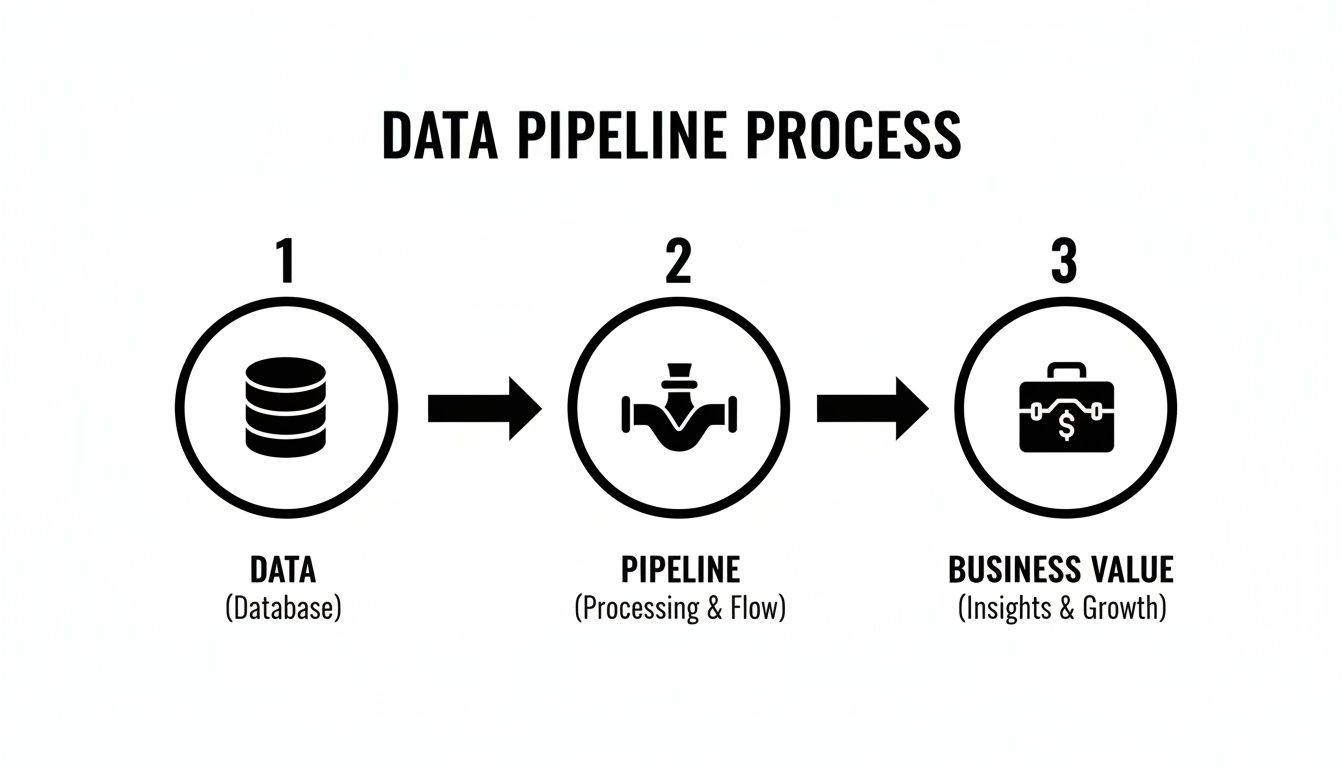
This simple diagram is a powerful reminder: the purpose of a data pipeline is to convert raw inputs into tangible insights that fuel business growth.
Choosing Between Batch and Streaming Architectures
The data freshness requirement dictates one of your biggest architectural decisions: batch vs. streaming.
Batch processing is the traditional approach. You collect data over a period, like 24 hours, and then process it all in one large job. It is cost effective and ideal for analytics that do not need to be immediate, such as generating end of month financial reports.
Real time streaming processes data continuously as it is generated. This is necessary for use cases like live website monitoring, instant fraud detection, or recommendation engines where a delay of even a few seconds can be costly.
The demand for real time insights is growing rapidly. According to some data pipeline efficiency statistics, the streaming analytics market is projected to grow significantly, showing that traditional batch jobs often cannot keep up with the speed of modern business.
Choosing between batch and streaming is not about which one is "better." It is about picking the right tool for the job. Matching the architecture to the business need is a core skill that distinguishes senior engineers from junior ones.
Batch Processing vs Real Time Streaming Pipelines
Here is a quick comparison to help you choose the right architecture for your data project.
Your choice here sets the foundation for everything else, so make sure it aligns perfectly with what the business needs.
Understanding ETL vs ELT
Another key decision is choosing between an ETL (Extract, Transform, Load) or an ELT (Extract, Load, Transform) pattern. This choice changes where and how you process your data.
In a traditional ETL process, you pull data from a source, clean and reshape it on a separate server, and then load the finished product into your data warehouse. This was the standard for decades when storage and compute were very expensive.
The modern cloud era introduced ELT. With this pattern, you extract raw data and load it directly into a powerful cloud data warehouse like Snowflake or BigQuery. All transformation happens inside the warehouse, leveraging its massive, scalable power.
This approach is more flexible. You can store raw data indefinitely, allowing you to run new transformations on it later without re-ingesting everything. For most modern analytics, ELT has become the default choice.
Choosing Your Tools for a Modern Data Stack
Once you have your architecture, it's time to select your tools. Building a modern data pipeline involves assembling a cohesive set of technologies, known as a data stack. The tools you choose to master will directly shape your career path and make you a more valuable job candidate.
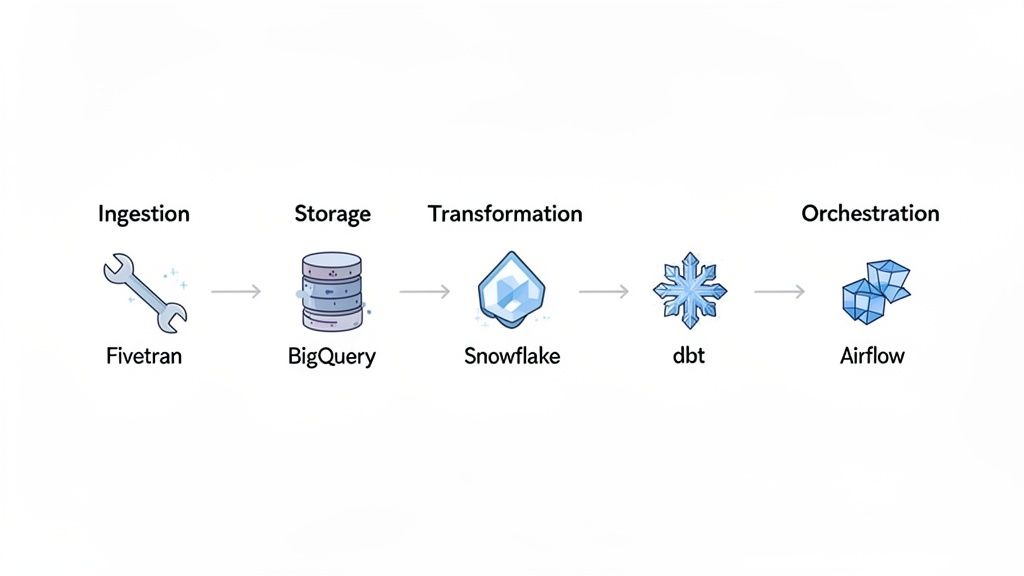
A typical data stack includes functions for ingestion, storage, transformation, and orchestration. Each component has a specific job. Getting comfortable with how these parts fit together will help you speak confidently about data systems in any job interview.
Data Ingestion Tools
Data ingestion is the starting point. This is where you pull data from different sources like Salesforce, Google Ads, or your production database. Recruiters value experience with tools that automate this process because it saves significant engineering hours.
- Fivetran: A major tool in this space, Fivetran offers hundreds of pre built connectors for nearly any SaaS app, database, or API. It handles the "E" (Extract) and "L" (Load) for you, so you can focus on transformation.
- Airbyte: This popular open source tool offers flexibility and a large, growing library of connectors. It is a valuable skill, especially for companies looking to control costs or build custom ingestion workflows.
- Stitch Data: Another platform that simplifies moving data from common sources into a data warehouse.
Mastering one of these tools demonstrates you can bring data into the ecosystem efficiently and reliably. These are some of the top in demand skills for remote work.
Data Storage Solutions
Once ingested, data needs a place to be stored. Modern data pipelines almost always use cloud data warehouses or data lakes built for massive scale and high performance. These platforms are the foundation of your analytics setup.
Two major players dominate this space:
- Snowflake: A cloud native data platform known for its unique architecture that separates storage from compute. This provides incredible flexibility and performance.
- Google BigQuery: A serverless, highly scalable data warehouse from Google Cloud Platform. It is extremely fast with large SQL queries, making it great for interactive analysis.
Other popular options include Amazon Redshift and Databricks, which is pioneering the "lakehouse" architecture that combines the best features of data warehouses and data lakes.
Data Transformation Frameworks
After your data is loaded into the warehouse, the transformation stage begins. This is where you clean, model, and shape the raw data to make it useful for analysis. Currently, the leading tool for modern data transformation is dbt (data build tool).
dbt allows you to transform data in your warehouse using simple SQL. More importantly, it brings software engineering best practices like version control, testing, and documentation to your analytics code. Proficiency in dbt is one of the most sought after skills for data and analytics engineering roles today.
When working with diverse sources, you will encounter different data formats. Having reliable JSON formatter and validator tools is very helpful for processing and debugging messy JSON data from your pipelines.
Orchestration and Workflow Management
Finally, you need a tool to manage and schedule all the moving parts of your pipeline. Orchestration tools ensure your pipeline runs in the correct sequence, handles failures gracefully, and provides a clear view of your workflows.
Apache Airflow is the industry standard for workflow orchestration. It lets you define pipelines as code using Python, enabling you to build complex, dynamic, and schedulable workflows. Having Airflow on your resume is a strong signal to employers that you understand production grade data engineering.
Other tools like Prefect and Dagster are gaining popularity, but Airflow's widespread adoption makes it the most important one to learn for your job search.
A Step by Step Guide to Building Your First Data Pipeline
Theory is important, but practical experience is what lands you a job. Let's walk through building a real world example using two common tools: Apache Airflow for orchestration and dbt for transformation.
This example can serve as a portfolio project that you can discuss with confidence in your next interview.
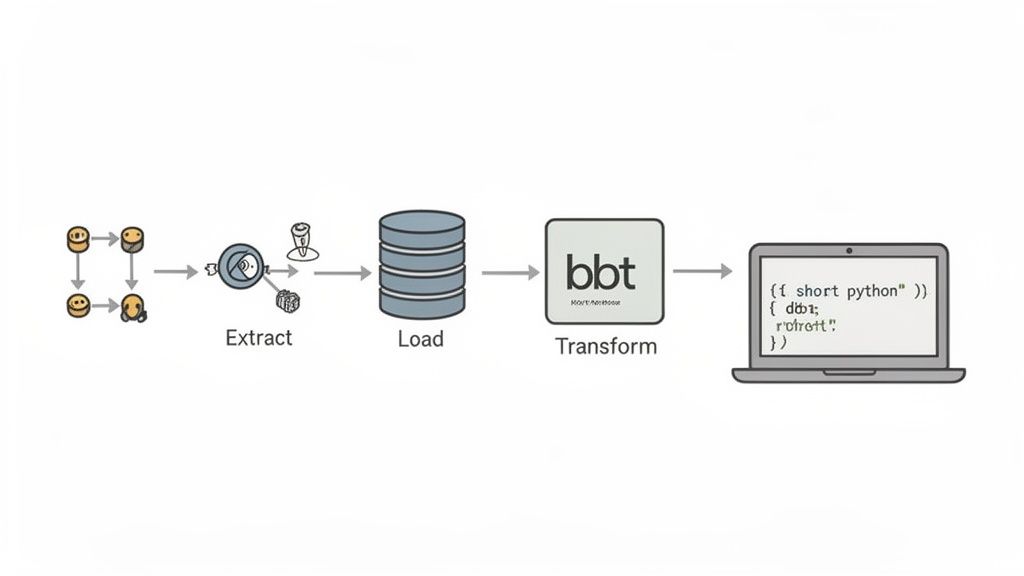
Our goal is to build a classic batch ELT pipeline. We will pull data from a public API, load it into a data warehouse, and then run SQL transformations to prepare it for analytics. Airflow will manage the entire process.
Setting Up the Airflow DAG
In Airflow, a workflow is defined as a Directed Acyclic Graph, or DAG. A DAG is a Python script that maps out your tasks and their dependencies. This "pipeline as code" approach makes your workflows easy to version, test, and share.
Let's say our project is to get daily user data from a public API. We can use a service like JSONPlaceholder for mock data, which is perfect for portfolio projects. The first part of our Python script defines the DAG and sets a daily schedule.
from airflow import DAGfrom airflow.operators.python import PythonOperatorfrom airflow.providers.dbt.cloud.operators.dbt import DbtCloudRunJobOperatorfrom datetime import datetime# Default arguments for the DAGdefault_args = {'owner': 'airflow','start_date': datetime(2024, 1, 1),'retries': 1,}# Define the DAGwith DAG('user_analytics_pipeline',default_args=default_args,description='A simple ELT pipeline for user data',schedule_interval='@daily',catchup=False) as dag:# Tasks will be defined hereThis code sets up the basic structure. The schedule_interval='@daily' tells Airflow to run this pipeline once a day. The catchup=False parameter prevents the DAG from running for all past days since the start_date, which is helpful during development.
Defining the Extract and Load Tasks
Next, we define individual tasks using Airflow Operators. The PythonOperator is ideal here because it lets us run any Python function as a task.
First, we will write a function to get user data from the API and save it as a JSON file. A second function will then upload that file to our data warehouse, such as Google BigQuery or Snowflake.
import requestsimport jsonfrom google.cloud import bigquerydef extract_user_data():"""Fetches user data from a public API and saves to a file."""response = requests.get('https://jsonplaceholder.typicode.com/users')users = response.json()with open('/tmp/users.json', 'w') as f:json.dump(users, f)def load_data_to_warehouse():"""Loads the extracted JSON data into BigQuery."""client = bigquery.Client()table_id = "your-project.your_dataset.raw_users"job_config = bigquery.LoadJobConfig(source_format=bigquery.SourceFormat.NEWLINE_DELIMITED_JSON,autodetect=True,)with open('/tmp/users.json', 'rb') as source_file:load_job = client.load_table_from_file(source_file, table_id, job_config=job_config)load_job.result() # Waits for the job to complete.Now, we wrap these functions in Operators inside our DAG:
extract_task = PythonOperator(task_id='extract_user_data',python_callable=extract_user_data)load_task = PythonOperator(task_id='load_data_to_warehouse',python_callable=load_data_to_warehouse)Pro Tip: In a real production pipeline, you would never hardcode credentials. Instead, you would manage secrets securely using Airflow's connections and secret backends to protect sensitive information.
Orchestrating the Transformation with dbt
With the raw data loaded, it's time for the "T" in ELT. We will trigger a dbt Cloud job to run our SQL transformations. This is where dbt takes our raw user data and transforms it into clean, structured models ready for BI tools like Tableau or Power BI.
The DbtCloudRunJobOperator makes this step simple. You just need to set up your dbt Cloud connection in Airflow and provide the job ID.
transform_task = DbtCloudRunJobOperator(task_id='trigger_dbt_cloud_job',dbt_cloud_conn_id='dbt_cloud_default', # Your Airflow connection IDjob_id=12345, # The ID of your dbt Cloud jobcheck_interval=10,timeout=300)Inside your dbt project, you would have SQL models to:
- Clean the
raw_userstable and cast data types. - Create a
stg_usersstaging table with initial transformations. - Build a final
dim_usersdimensional model for analysts.
Setting Task Dependencies
The final step is to tell Airflow the correct order of operations. We need to extract the data, then load it, and finally run our dbt transformations. In Airflow, defining this logic is simple and readable.
extract_task >> load_task >> transform_taskThis single line of code sets up the entire dependency chain, ensuring the pipeline executes correctly. This complete DAG gives you a functional, modern batch data pipeline project to feature on your resume and discuss in interviews.
Deploying and Monitoring Your Pipeline Like a Pro
Building a data pipeline is one thing; turning it into a reliable, production grade asset is what separates junior talent from senior professionals. This is where you prove you can deliver a system the business can depend on.
Mastering deployment and monitoring demonstrates a deep understanding of the full data lifecycle, making you a much stronger candidate for top remote data roles. The goal is to automate as much as possible, using practices from software engineering like CI/CD to ensure every change is tested and deployed safely.
Implementing CI/CD for Data Pipelines
CI/CD, or Continuous Integration/Continuous Deployment, automates your build, test, and deployment process. For data pipelines, this means that every time you push a change to your code, an automated workflow begins.
This workflow typically includes several key stages:
- Code Linting and Validation: Automatically checking your code for syntax errors and style issues.
- Unit and Integration Testing: Running tests on individual components and then testing how different parts of the pipeline work together.
- Deployment to Staging: Pushing changes to a pre production environment for final checks.
- Deployment to Production: After all tests pass, changes are automatically rolled out to the live environment.
Following essential software deployment best practices helps eliminate manual errors and keep your data flows stable and reliable.
Setting Up Effective Monitoring and Alerting
Once your pipeline is live, you need visibility into its health and performance. Monitoring helps you catch issues before they impact the business.
Good monitoring answers critical questions: Is the data fresh? Did the last run complete successfully? Is the data volume within expected ranges?
A pipeline without monitoring is a risk. If it fails silently, you could be feeding bad data to stakeholders, eroding trust and potentially costing the company money.
Set up a solid monitoring system using tools like Datadog, Prometheus, or Grafana to track key metrics.
Key metrics to monitor include:
- Pipeline Latency: How long does it take for data to get from source to destination?
- Data Freshness: How up to date is the data in your warehouse?
- Job Status: Are your pipeline jobs succeeding or failing?
- Data Quality Checks: Are you seeing unexpected nulls, duplicates, or outliers?
When a metric crosses a defined threshold, an automated alert should be sent via Slack, email, or a paging service. This proactive approach helps you fix problems before anyone downstream is affected.
Essential Best Practices for Production
Beyond CI/CD and monitoring, a few other practices are essential for running a professional grade data pipeline. These details show an employer you think about security, cost, and performance.
Security Considerations
Data pipeline security is not optional. Manage credentials, API keys, and database passwords securely using a secret management tool like AWS Secrets Manager or HashiCorp Vault. Never hardcode sensitive information in your scripts.
Additionally, follow the principle of least privilege. Your pipeline services should only have the permissions they absolutely need to do their jobs.
Cost Optimization
Cloud resources can become expensive quickly. To manage costs, schedule your pipelines to run only when necessary. Use instance types that match your workload, and set up billing alerts to get notified of unexpected cost increases.
Performance and Scaling
Design your pipeline with scale in mind from day one. Use data partitioning to break large datasets into smaller, more manageable chunks. Optimize your SQL queries in dbt to run efficiently. Thinking about performance from the start will save you major headaches as data volume grows.
How to Showcase Your Pipeline Skills to Get Hired
You built an impressive data pipeline. Now, how do you make that project work for you in your job search? Presenting your work is just as critical as your technical skills. It is your chance to prove you create business value, not just write code.
The key is to translate your technical accomplishments into impact. Recruiters spend an average of 7.4 seconds on a resume. Your resume bullet points must immediately signal that you solve problems.
Crafting Resume Bullet Points That Land Interviews
Your resume should be a highlight reel of your achievements, not a task list. Hiring managers want evidence you can solve their problems. This means quantifying your work and tying it directly to a business outcome.
For every project, ask yourself: So what? Did your pipeline make a report run faster? Did it unlock a new analysis for the marketing team? Did it save the company time or money?
Here’s how to reframe your work for maximum impact:
Before: "Built an ETL pipeline using Airflow and dbt."
After: "Engineered a daily ETL pipeline with Airflow and dbt, reducing data processing time by 40% and enabling the marketing team to access same day campaign performance data."
Before: "Used Python to pull data from APIs and load it into Snowflake."
After: "Automated data ingestion from 5 critical third party APIs using Python, providing the sales team with a unified dashboard that contributed to a 15% increase in lead tracking efficiency."
The "after" examples are specific, quantified, and connected to a tangible business result. This is the language that resonates with recruiters and hiring managers.
Use an ATS optimized resume builder to ensure your carefully crafted bullet points pass the initial screening. Jobsolv's free builder helps you tailor your resume with keywords from the job description to get noticed.
Nailing the Data Pipeline Interview Questions
Once your resume gets you an interview, be prepared to discuss your projects in detail. Interviewers will test your technical depth, problem solving skills, and architectural judgment.
Be ready to discuss the entire data lifecycle. Expect questions like:
- "Walk me through a data pipeline you built. Why did you choose that specific architecture—batch over streaming, or ELT instead of ETL?"
- "Describe a time a pipeline failed in production. How did you troubleshoot it, and what was the root cause?"
- "How do you approach data quality and testing in your pipelines? Give me a specific example."
- "Let's say we need to design a pipeline to handle X terabytes of data per day. What would be your approach?"
When you answer, use the STAR method (Situation, Task, Action, Result). This framework keeps your answers structured and impactful. The goal is not just to describe what you did, but to explain why you did it. To learn more, read our detailed guide on how to showcase your value in a job interview.
Ready to make your pipeline projects the centerpiece of your job search? Jobsolv's free, ATS approved resume builder and tailoring tools help you frame your experience to catch the eye of top recruiters. Start building a resume that gets results at https://www.jobsolv.com.


